Enchanted Purple Fairy Clipart
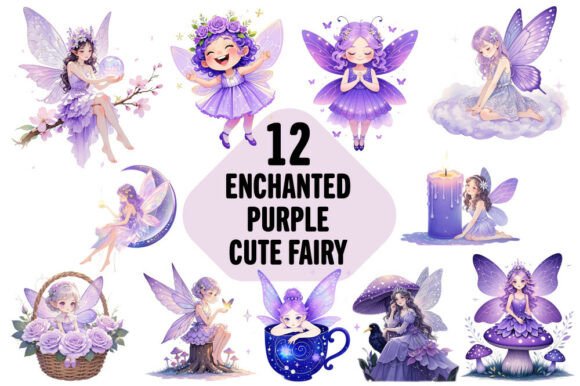
Imagine a fairy not just whimsical—but deeply evocative: lavender wings edged with iridescent shimmer, a gown woven from twilight vines, eyes that hold quiet magic. That’s the essence of Enchanted Purple Fairy Clipart: a curated set of 12 high-resolution PNG files designed for real-world creative work—not just decoration, but functional, flexible visual assets.
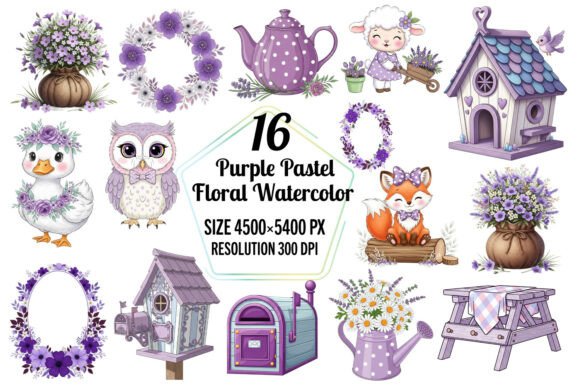
Each file measures 4500×5400 pixels at 300 DPI—large enough to scale down crisply for social media avatars or up confidently for wall murals and large-format prints. The transparent background means no awkward white boxes or clipping struggles. You’re not getting a single illustration—you’re getting twelve distinct interpretations: some gentle and dreamy, others bold and stylized, all unified by a cohesive purple palette that reads as mystical without veering into cliché.
Why This Set Stands Out for Practical Creativity
Many clipart collections sacrifice detail for versatility—or vice versa. These files strike a balance: intricate linework and soft gradients are preserved at full resolution, yet the clean vector-like edges make them easy to isolate, recolor, or layer in design software like Adobe Illustrator, Affinity Designer, Canva, or even free tools like GIMP and Photopea.
That flexibility matters. A graphic designer building a boutique brand identity can use one fairy as a subtle watermark on packaging. An educator creating literacy-themed classroom posters can pair another with hand-lettered vocabulary words. A small-batch candle maker might print one onto a custom sticker for product labels—then reuse the same file (scaled smaller) for Instagram story highlights.
Creative Applications Across Real Projects
Here’s where intention meets execution:
- T-shirts & apparel: Print one fairy centered on a heather-purple tee for a boutique clothing line—or layer three smaller versions diagonally across a tote bag for visual rhythm. Because each file is 300 DPI, screen printing and direct-to-garment (DTG) providers accept them without upsampling warnings.
- Stationery & paper goods: Use the files in printable PDF kits—birthday cards, gift tags, or planner stickers. Crop tightly around the figure for die-cut precision, or add a subtle drop shadow in Photoshop for depth on matte cardstock.
- Digital content: Resize a fairy to 800×960 px for Pinterest pins promoting a fantasy-themed ebook. Or place one in the corner of a blog header image—small enough to suggest theme, not dominate layout.
- Home & decor: Frame a single high-res print (16×20" or larger) as wall art in a child’s bedroom or a yoga studio. The purple tones harmonize with sage greens, warm grays, and soft golds—no clashing, no overdesigning needed.
- Scrapbooking & mixed media: Print on textured watercolor paper, then hand-embellish with metallic gel pens or pressed violets. The transparency lets underlying patterns show through—ideal for layered, tactile projects.
Adapting for Different Audiences and Goals
Your audience shapes how you use these files—and how much you adapt them.
A children’s book illustrator might select the most expressive fairy, then tweak her pose in Procreate to match a specific scene—keeping proportions intact because the original resolution allows non-destructive scaling. A marketer launching a “self-care magic” subscription box could use one fairy as a recurring motif across email banners, unboxing inserts, and thank-you cards—ensuring visual continuity without repetition fatigue.
For educators, consider accessibility: avoid placing fairies directly over busy backgrounds in slideshows. Instead, use them as icons beside bullet points (“✨ Calm breathing technique”)—clear, symbolic, and instantly legible. Freelance designers working with clients should rename files meaningfully before delivery (e.g., “fairy-posing-left-violet-wings.png”)—it signals professionalism and saves everyone time during revisions.
Maintaining Clarity and Consistency
When using multiple fairies across a project, consistency doesn’t mean uniformity—it means thoughtful variation. Try this approach:
- Pick one “hero” fairy as your primary visual anchor—use it largest and most frequently.
- Select two others as supporting variants—different poses or angles—to break repetition in multi-page layouts or product catalogs.
- Keep color treatment consistent: if you adjust hue or saturation for branding, apply the same adjustment to all files used together.
- When resizing, always constrain proportions—and test output at final size before mass production. A 4500×5400 px file holds up beautifully at 12×14", but pushing beyond 24×28" may require professional interpolation (which most print shops handle seamlessly).
What You Receive—and What You Don’t
This is a digital instant download: one ZIP file containing 12 individual PNGs. No physical item ships. No waiting. No licensing ambiguity—these files are licensed for commercial use, including resale on physical products you create and distribute yourself.
You’ll need basic extraction software (built-in on macOS and Windows) or a tool like 7-Zip (free) to open the archive. Double-click the ZIP, drag the PNGs to your desktop or project folder—and start designing. There’s no subscription, no watermark, no usage cap. Just clean, ready-to-use assets grounded in craft, not gimmicks.
That practicality is intentional. Creativity thrives not on endless options, but on well-made tools you can trust. These fairies aren’t meant to be endlessly edited into unrecognizable forms—they’re meant to be *used*: printed, shared, framed, stitched, taught with, sold alongside, and built upon. They’re a starting point—not a finished statement.
If you’ve ever paused mid-project, searching for an image that feels both imaginative and intentional—something that carries mood without demanding explanation—this set answers that need. Not with noise, but with clarity. Not with overload, but with 12 considered choices, each holding space for your next idea.