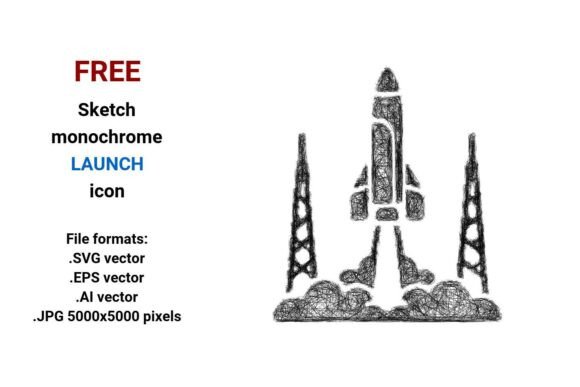
FREE Sketch Launch Icon
If you're designing an app interface, crafting a presentation slide, or building a landing page for a space-tech startup—or even just spicing up a classroom handout—a clean, expressive, and instantly recognizable launch icon can make all the difference. The FREE Sketch Launch Icon delivers exactly that: a hand-drawn, artistic interpretation of a rocket launch, rendered in crisp black-and-white sketch style. It’s not generic clipart—it’s a purpose-built design element with visual warmth, technical precision, and real-world flexibility.
What Makes This Sketch Launch Icon Stand Out?
This isn’t just another “rocket” icon pulled from a stock library. The FREE Sketch Launch Icon is intentionally crafted in a doodle-style illustration—light, confident strokes, subtle line variation, and intentional imperfection that signals human creativity. That sketch aesthetic builds instant rapport: it feels approachable, innovative, and thoughtful—not sterile or over-engineered. And because it’s built as a vector, every curve, taper, and flare holds up whether scaled to 24px for a mobile button or blown up to 5 feet wide for a trade-show banner.
It ships in four production-ready formats: .SVG (ideal for web use, responsive layouts, and CSS manipulation), .EPS (print-safe and compatible with legacy design tools), .AI (fully editable layers and paths in Adobe Illustrator), and a high-res .JPG at 5000×5000 pixels (perfect for mockups, presentations, or print where vector support isn’t available). No rasterized artifacts. No pixelation. Just consistent clarity—across platforms, devices, and workflows.
Why Vector Matters—Especially for a Launch Icon
A vector image isn’t just “scalable”—it’s mathematically defined. Points, curves, and paths are stored as equations, not pixels. That means your rocket launch icon stays razor-sharp whether embedded in an iOS app icon set (1024×1024), used as a launch button in Figma at 48×48, or printed on a large-format poster for a university physics department. Unlike bitmap icons, there’s no need to generate multiple sizes, no risk of blurring on Retina displays, and no compromise when exporting for dark mode or high-DPI screens.
This precision also supports deeper customization. With the .AI or .EPS file, you can adjust stroke weight, recolor individual elements, isolate the flame trail, or extend the rocket body—all without degradation. For UX designers, that means rapid iteration. For educators, it means adapting the icon for lesson plans without losing fidelity. For marketers, it means aligning the space launch motif with brand color palettes in seconds—not hours.
Real-World Uses Across Disciplines
App & Web Design: Use the FREE Sketch Launch Icon as a primary launch button for onboarding flows, demo starters, or “Get Started” CTAs. Its sketch style softens the technical connotation of “rocket” or “space launch,” making complex tools feel more intuitive—especially in SaaS dashboards or creative platforms.
Education & Presentations: Science teachers use it to visually anchor lessons on propulsion, Newton’s laws, or orbital mechanics. University departments embed it in grant proposals or outreach materials to symbolize innovation momentum—without resorting to clichéd NASA logos or overused stock photos.
Marketing & Branding: A fintech startup might pair it with “Launch Your Portfolio” copy. A podcast about entrepreneurship could feature it in episode thumbnails tagged “rocket launch.” Because it’s isolated, clean, and artistic, it integrates seamlessly into branded decks, email headers, or social banners—adding personality without competing with core messaging.
Print & Publishing: Book designers working on STEM-themed children’s titles or indie zines use the .EPS version to retain sharpness in CMYK print runs. The black-and-white sketch style ensures legibility even in low-ink settings—and avoids costly spot-color separations.
Practical Tips Before You Download
First, consider context. If you’re embedding in HTML/CSS, grab the .SVG—it’s lightweight, accessible (supports ARIA labels), and animatable. Need full control over anchor points or gradients? Go straight to .AI. For quick drag-and-drop into PowerPoint or Canva, the .JPG works—but only if resolution demands don’t exceed 5000×5000 px.
Second, think about consistency. While this icon stands alone beautifully, match its stroke weight and sketch rhythm with other UI elements—if you’re using additional sketch design elements, ensure they share similar line density and energy. Don’t mix ultra-thin doodles with heavy inked strokes unless it’s intentional contrast.
Third, remember licensing: this is a FREE Sketch Launch Icon, but verify usage rights for your specific project. Most free versions allow personal, educational, and commercial use—including client work—as long as attribution isn’t required. Always double-check the source license before deploying in revenue-generating products.
More Than Just a Rocket Icon
At its core, the FREE Sketch Launch Icon is a communication tool. It condenses ideas—momentum, initiation, exploration, transformation—into a single, sketched gesture. That’s why it resonates across fields: a developer sees “deploy,” a teacher sees “ignite curiosity,” a founder sees “go-to-market.” Its strength lies not in realism, but in resonance.
Unlike photorealistic rockets or flat-design icons that fade into the background, this one invites attention—not through loud color or aggressive geometry, but through authenticity. It says, “This is handmade. This is intentional. This is ready to go.” Whether you’re prototyping a new feature, illustrating a keynote, or designing a workshop handout, that quiet confidence translates directly into user trust and engagement.
So if your next project calls for a rocket launch icon, a space launch visual cue, or simply a fresh take on the classic launch button, start with something that balances artistry and utility. The FREE Sketch Launch Icon gives you both—no subscriptions, no watermarks, no compromises.